Seismic for Slack-icon

Seismic for Slack

Collaborate, search, and share content efficiently.

Description

Together, Slack and the Seismic Enablement Cloud™ enable cross functional teams to collaborate and efficiently search and share content from Seismic. Boost seller and enabler productivity by ensuring up-to-date content is always at the fingertips of all users with Seismic and Slack.

How this app works

Installing this app into your Seismic tenant creates the doorway for your Slack environment to talk to Seismic. 
First your Seismic tenant administrator will:
  1. Install this app into your Seismic tenant
  2. Configure this app via System Settings > My apps > Slack to point to your Slack workspace.

Then your IT administrator will:
  1. Install the Seismic app from the Slack Marketplace into your Slack workspace
  2. Configure which permissions they will allow your end users to have via the Seismic App's Home tab in Slack
  3. Distribute this app to your end users
Key Features
This app enables key Seismic workflows from within Slack
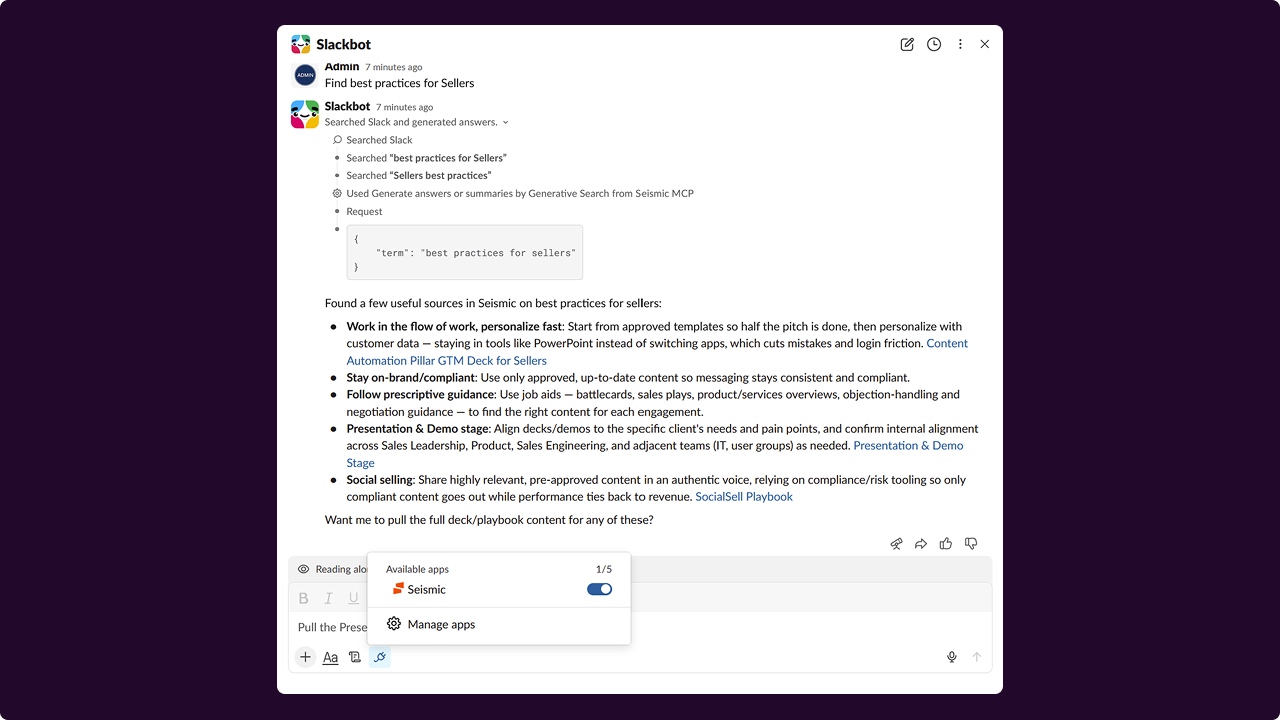
  • Generative Search: Ask Seismic to summarize content, answer questions, and draft emails (requires Seismic Aura)
  • AI listener: In channels where enabled, Seismic proactively listens for questions and responds with ephemeral messages directly to the user.
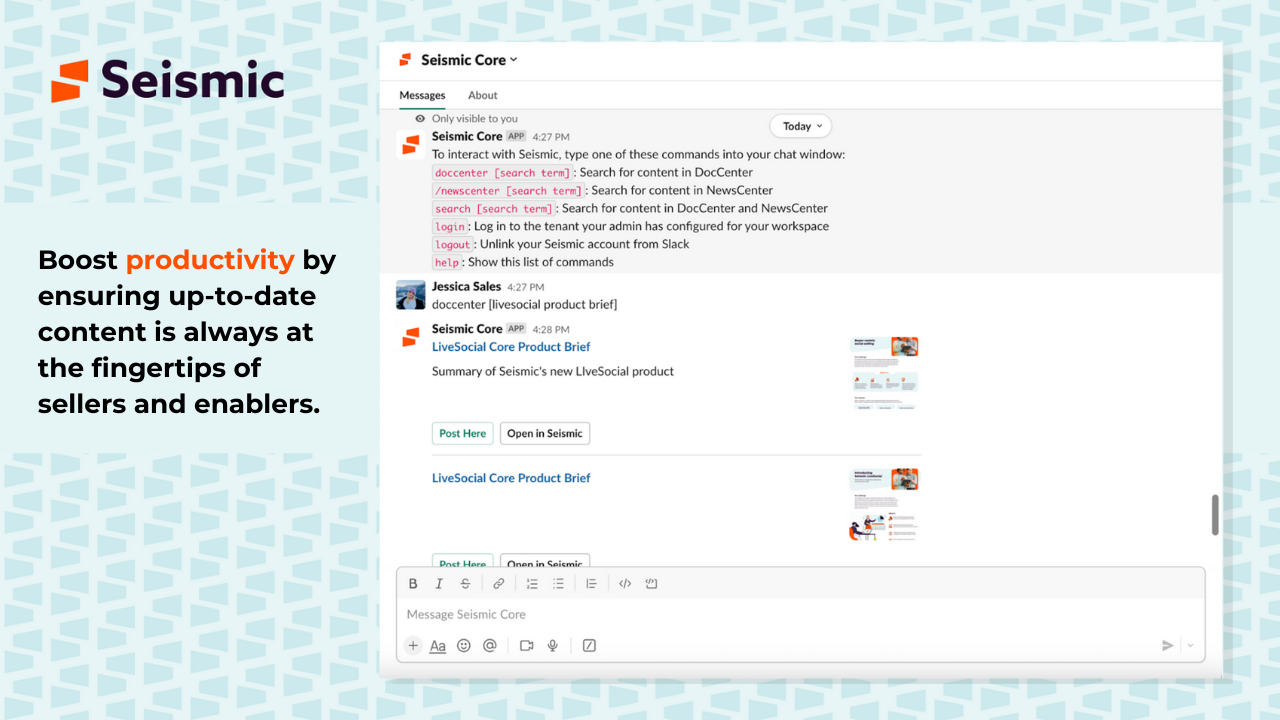
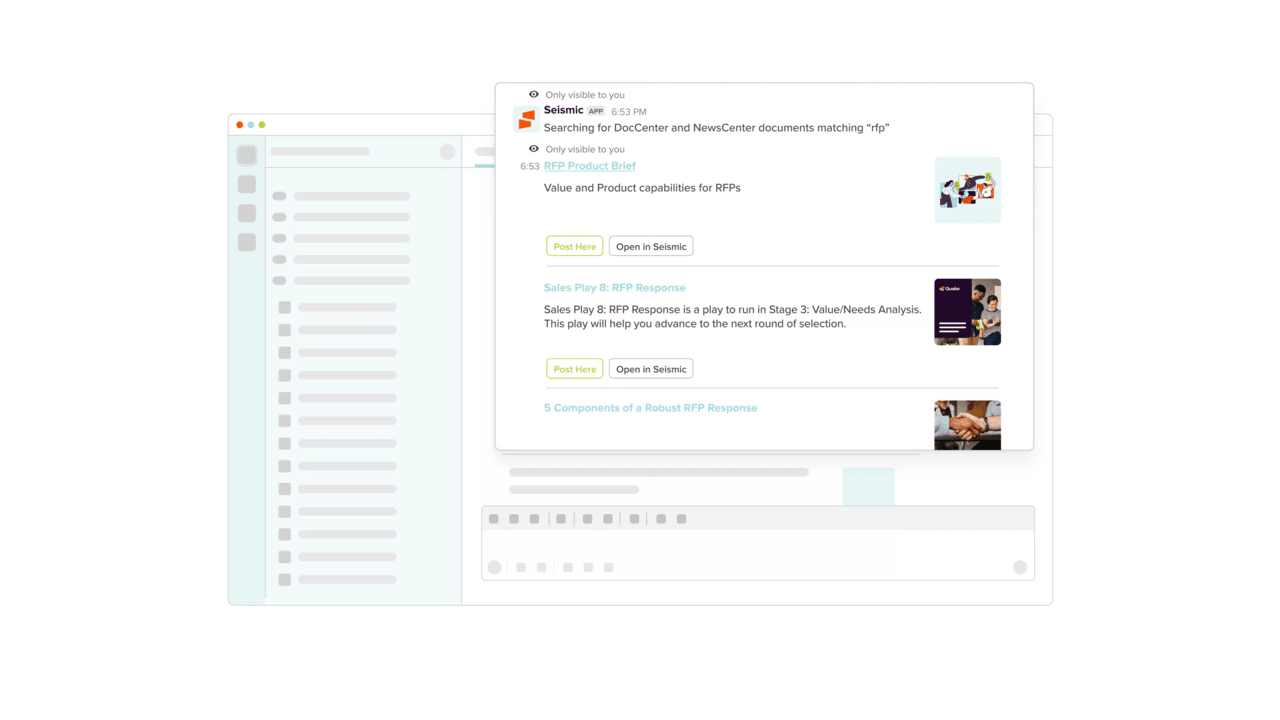
  • Share with a click of a button: users can post a link and preview of the content inside Slack channel or direct message
  • Content keyword search: /doccenter and /newscenter slash commands
  • Drive work and engagement: see colleagues' Slack status and initiate direct message from within Seismic's web interface, and receive notifications directly within the app
  • Connect Seismic Programs: Establish a link between 

Prerequisites
Seismic Aura
  • For Generative Search and Ai-Listener functionality
 Seismic Programs
  • For establishing links between Slack channels and Seismic Programs

Presence
  • User must have installed the Seismic app within Slack for Seismic to detect their online status

Personal Notifications
  • The user must also have opted to receive Slack notifications from Seismic's Notification User Settings.
Categories
Productivity
Communications
Collaboration
Version
8.0.0
Developer
Seismic®
Have A Question?

Seismic®'s team is here to help with any question you have about their app.

Seismic for Slack-icon

Seismic for Slack

Collaborate, search, and share content efficiently.

General Information

Description

Together, Slack and the Seismic Enablement Cloud™ enable cross functional teams to collaborate and efficiently search and share content from Seismic. Boost seller and enabler productivity by ensuring up-to-date content is always at the fingertips of all users with Seismic and Slack.

How this app works

Installing this app into your Seismic tenant creates the doorway for your Slack environment to talk to Seismic. 
First your Seismic tenant administrator will:
  1. Install this app into your Seismic tenant
  2. Configure this app via System Settings > My apps > Slack to point to your Slack workspace.

Then your IT administrator will:
  1. Install the Seismic app from the Slack Marketplace into your Slack workspace
  2. Configure which permissions they will allow your end users to have via the Seismic App's Home tab in Slack
  3. Distribute this app to your end users
Key Features
This app enables key Seismic workflows from within Slack
  • Generative Search: Ask Seismic to summarize content, answer questions, and draft emails (requires Seismic Aura)
  • AI listener: In channels where enabled, Seismic proactively listens for questions and responds with ephemeral messages directly to the user.
  • Share with a click of a button: users can post a link and preview of the content inside Slack channel or direct message
  • Content keyword search: /doccenter and /newscenter slash commands
  • Drive work and engagement: see colleagues' Slack status and initiate direct message from within Seismic's web interface, and receive notifications directly within the app
  • Connect Seismic Programs: Establish a link between 

Prerequisites
Seismic Aura
  • For Generative Search and Ai-Listener functionality
 Seismic Programs
  • For establishing links between Slack channels and Seismic Programs

Presence
  • User must have installed the Seismic app within Slack for Seismic to detect their online status

Personal Notifications
  • The user must also have opted to receive Slack notifications from Seismic's Notification User Settings.
Categories
Productivity
Communications
Collaboration

Developer
Seismic®
Have A Question?

Seismic®'s team is here to help with any question you have about their app.


Additional Information

/* istanbul ignore next */

/* istanbul ignore next */