

Copilot Studio MCP Connector-icon

Copilot Studio MCP Connector

The power of Seismic in your Copilot Studio Agents

Description

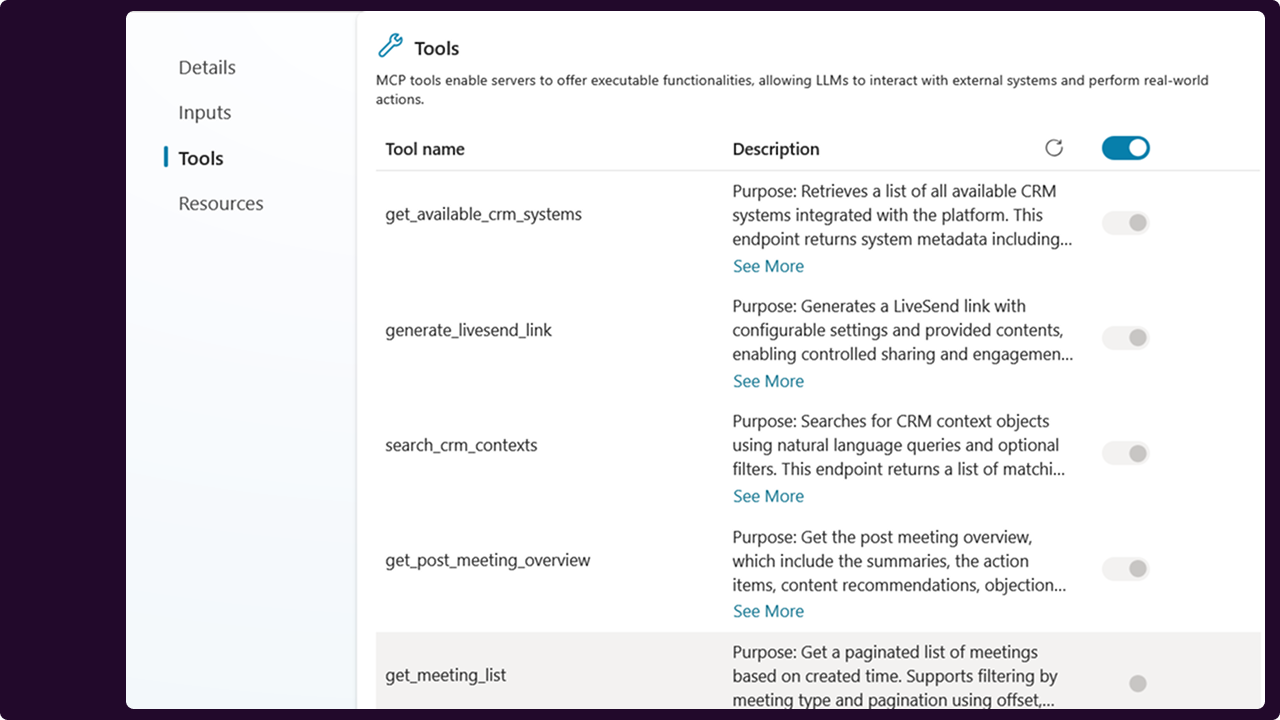
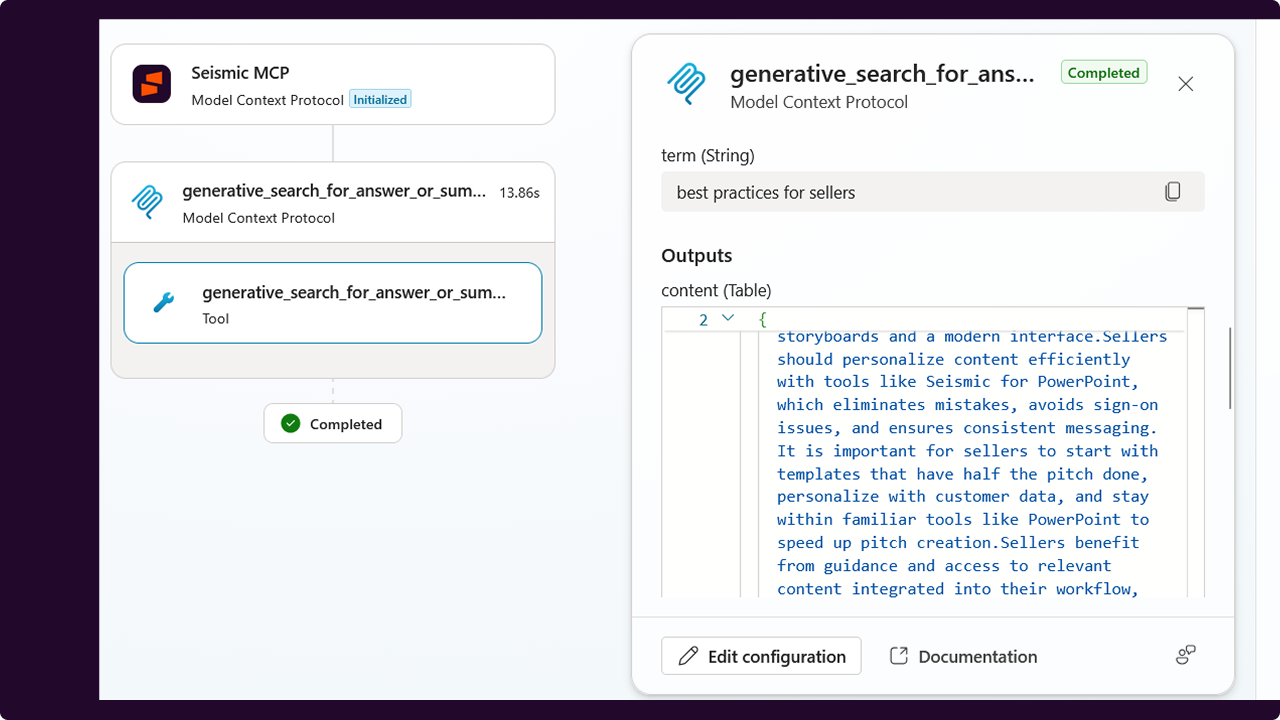
Give your Copilot Studio agents the full picture.Add Seismic as a Tool to connect your content, meetings, CRM data, and LiveSend capabilities alongside your other data sources. Then deploy smarter, more informed agents to your end-users in Microsoft Teams.

How this app works

This app is the connector that bridges Copilot Studio and Seismic. Installed at the tenant level, it gives administrators control over authentication and access scopes, which determine exactly which Seismic tools and content your agents can use. Without this connector configured with at least one scope, no Seismic tools will be available to your agents.Once set up, agent builders can add Seismic as a Tool within Copilot Studio, combining it with other data sources to build powerful, context-aware agents for their teams.
Getting started takes just a few steps.Your Seismic tenant administrator:
  1. Installs this app into your Seismic tenant
  2. Enables and configures it via System Settings > My Apps > Copilot Studio
Your agent builder:
  1. Adds Seismic as a Tool in Copilot Studio
  2. Configures the connection and selects the relevant Seismic capabilities
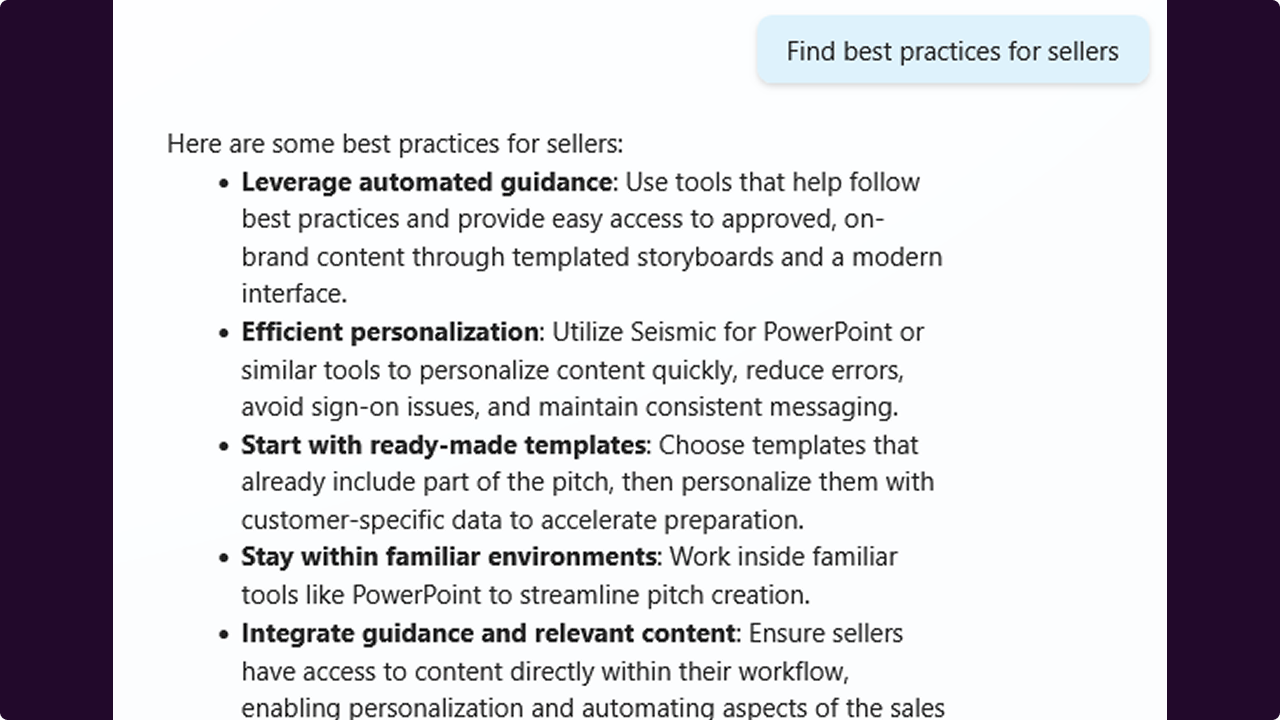
  3. Builds and deploys the agent to end users in Microsoft Teams
Your end users:
  1. When first interacting with the agent in Microsoft Teams, they will be prompted to authenticate to their Seismic tenant

Key Features
  • MCP Connector Integration – Seamlessly connects Seismic with M365 Copilot via MCP
  • Secure Authentication – Tenant-level installation with controlled access
  • Tool-Based Access Control – Admins define which tools and content are accessible
  • Seismic-Specific Responses – Ensures outputs are grounded in approved content

Prerequisites
  • A Microsoft Copilot Studio license, including both a tenant license and a per-user license assigned to each agent builder
  • A Microsoft Teams license for end users to interact with deployed agents
  • A Seismic account with Aura enabled
  • Seismic tenant administrator access to install and configure the app

Categories
Analytics
Productivity
Sales Readiness
Version
1.0.0
Developer
Seismic®
Have A Question?

Seismic®'s team is here to help with any question you have about their app.

Copilot Studio MCP Connector-icon

Copilot Studio MCP Connector

The power of Seismic in your Copilot Studio Agents

General Information

Description

Give your Copilot Studio agents the full picture.Add Seismic as a Tool to connect your content, meetings, CRM data, and LiveSend capabilities alongside your other data sources. Then deploy smarter, more informed agents to your end-users in Microsoft Teams.

How this app works

This app is the connector that bridges Copilot Studio and Seismic. Installed at the tenant level, it gives administrators control over authentication and access scopes, which determine exactly which Seismic tools and content your agents can use. Without this connector configured with at least one scope, no Seismic tools will be available to your agents.Once set up, agent builders can add Seismic as a Tool within Copilot Studio, combining it with other data sources to build powerful, context-aware agents for their teams.
Getting started takes just a few steps.Your Seismic tenant administrator:
  1. Installs this app into your Seismic tenant
  2. Enables and configures it via System Settings > My Apps > Copilot Studio
Your agent builder:
  1. Adds Seismic as a Tool in Copilot Studio
  2. Configures the connection and selects the relevant Seismic capabilities
  3. Builds and deploys the agent to end users in Microsoft Teams
Your end users:
  1. When first interacting with the agent in Microsoft Teams, they will be prompted to authenticate to their Seismic tenant

Key Features
  • MCP Connector Integration – Seamlessly connects Seismic with M365 Copilot via MCP
  • Secure Authentication – Tenant-level installation with controlled access
  • Tool-Based Access Control – Admins define which tools and content are accessible
  • Seismic-Specific Responses – Ensures outputs are grounded in approved content

Prerequisites
  • A Microsoft Copilot Studio license, including both a tenant license and a per-user license assigned to each agent builder
  • A Microsoft Teams license for end users to interact with deployed agents
  • A Seismic account with Aura enabled
  • Seismic tenant administrator access to install and configure the app

Categories
Analytics
Productivity
Sales Readiness

Developer
Seismic®
Have A Question?

Seismic®'s team is here to help with any question you have about their app.


Additional Information

/* istanbul ignore next */

/* istanbul ignore next */